
Klap
Klap turns long videos, podcasts, and webinars into short social clips with AI captions, reframing, and scheduling.
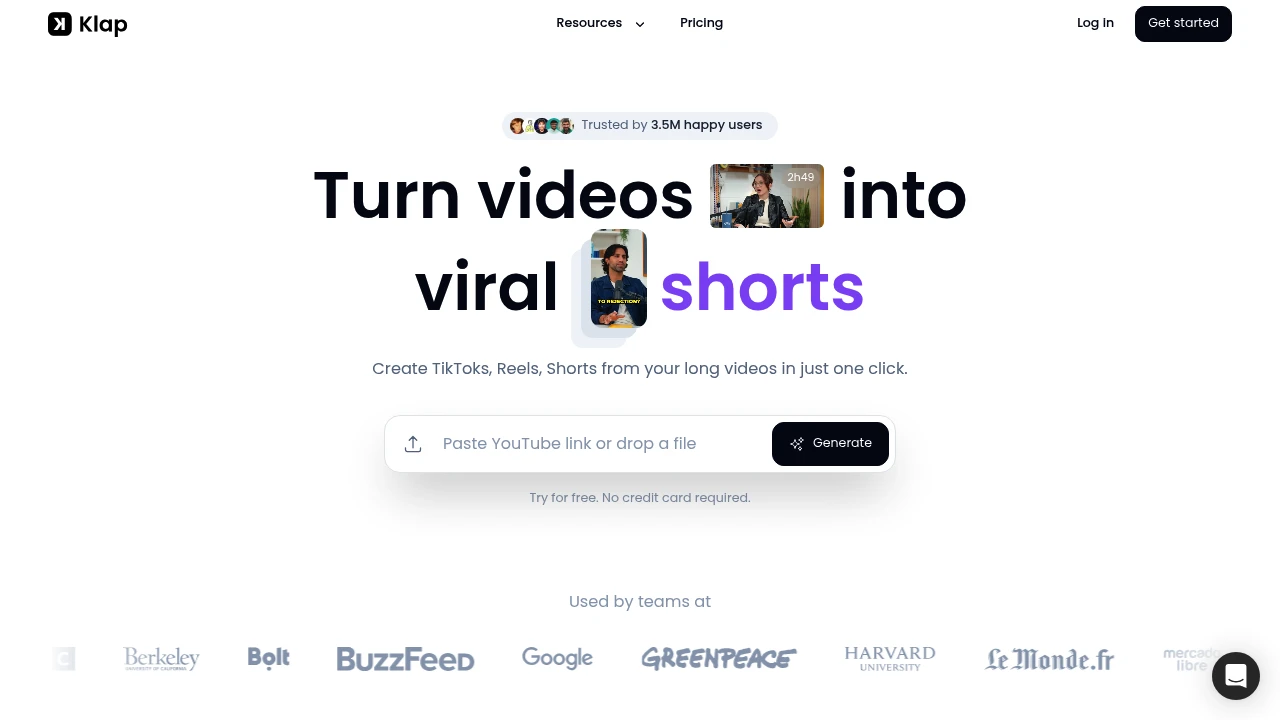
Klap is an AI video clipping tool for creators, marketers, podcasters, educators, and teams that already have long videos. It turns YouTube videos or uploaded files into short-form clips for TikTok, Instagram Reels, YouTube Shorts, and LinkedIn.
Key Highlights
- Turns long videos, podcasts, webinars, trainings, and reviews into short-form clips
- Creates TikToks, Reels, and Shorts from a YouTube link or uploaded video file
- Uses AI Editing to extract strong topics and cut them into multiple clips
- Applies Auto Reframing and facial recognition to keep the subject in frame
- Adds subtitles, recommended captions, logos, fonts, colors, and framing
- Supports direct sharing or scheduling to TikTok, YouTube, Instagram, and LinkedIn
What Makes It Different
Klap is built around repurposing spoken long-form video, not general timeline editing. Its own guidance says it works best for content with speech, such as podcasts, interviews, educational videos, product reviews, and trainings, because the algorithm relies heavily on speech detection.
The newer AI Reframe 2 feature also makes layout a bigger part of the workflow. Klap says it analyzes scenes and applies layouts such as Split Screen, Screencasts, and Gaming.
Features & Capabilities
The workflow starts by pasting a YouTube link or uploading a video file. Klap identifies topics, turns them into short vertical videos, generates subtitles, and gives each clip a viral-potential score.
After generation, you can make final edits, customize captions and branding, export in high resolution, and publish or schedule clips across social channels. Klap also lists transcription and editing support for 52 languages.
User Ratings and Testimonials
Klap does not include a third-party rating. Klap does claim broad usage, with 8.5M clips made by 3.5M creators, and positions the tool around saving editing time for people who post short clips daily.
The main limitation is also clear from Klap's own FAQ: it works best when the original video includes speech. Music-only footage, silent screen recordings, or highly visual videos with little spoken structure may need more manual editing after the AI pass.
Pricing & Value
- Free trial: $0, create 1 video for free with no credit card required
- Klap Pro: $29/month for continued use after the free video
The free video is enough to test whether Klap can find useful moments in your content. The paid plan fits creators or teams that already publish long videos.

FAQs
The source describes a free trial: create 1 video with no credit card. Pro is listed at $29/month.
The homepage does not list cancellation steps. Contact Klap through live chat if account billing controls are not clear.
Use it on speech-heavy videos such as podcasts, interviews, trainings, and reviews, where topic detection and subtitles have clear audio.
It is worth testing if you repurpose long spoken videos into social clips. The free trial lets you check output before paying $29/month.
Tags:

You might also like
 bisibility — Free beta: Track your website’s keywords, Google rankings, Search Console insights, and share of voice.

