
Tempo

Tempo is a code-first workspace for teams that plan, design, and build web apps with AI agents.
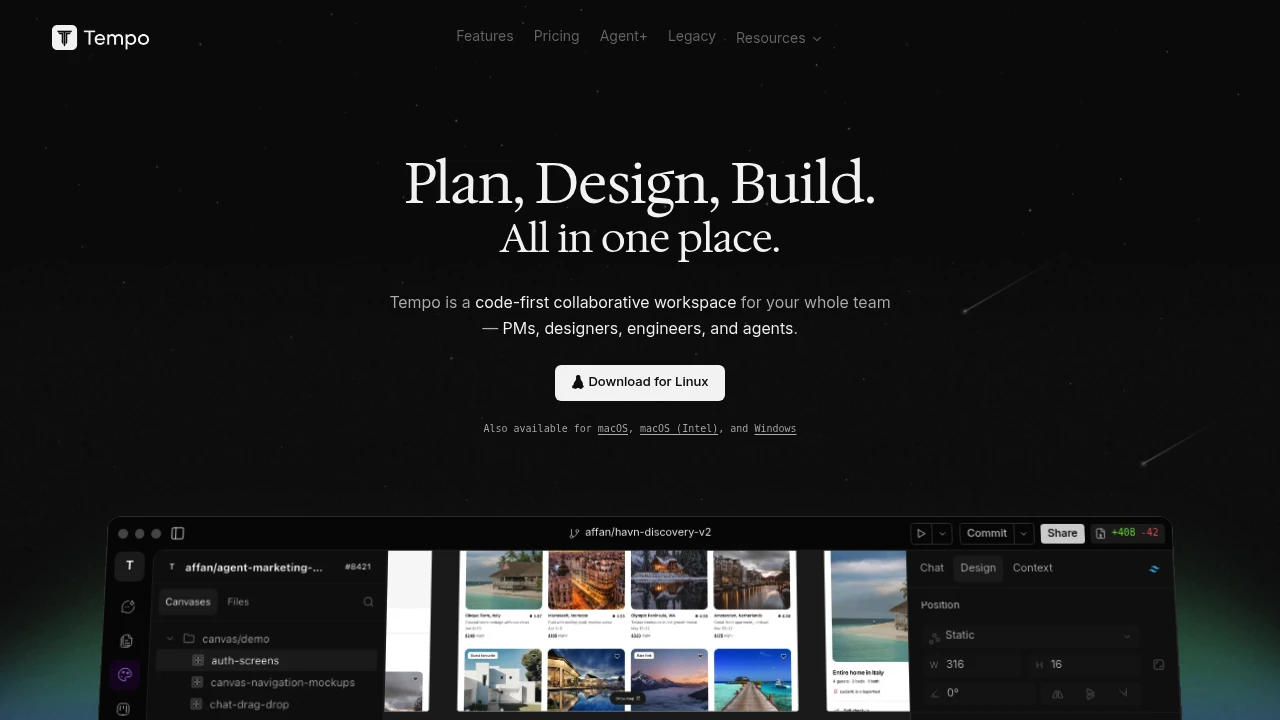
Tempo is a code-first collaborative workspace for planning, designing, and building web apps. It is aimed at PMs, designers, engineers, and AI agents who need one place to move from product intent to code. The public site frames the product around fewer handoffs: prompt, develop, design, and collaborate in the same workspace.
Key Highlights
- Code-first workspace for PMs, designers, engineers, and agents
- Prompt, develop, design, and collaborate from one product surface
- Visual design context with layout, position, typography, fill, stroke, effects, and transform controls
- Visual planning, design, and coding context in one workspace
- AI agents that can support product and engineering work
- Public pages emphasize planning, design, building, and collaboration
What Makes It Different
Tempo's main angle is not just prompt-to-app generation. The site positions it as a shared workspace where product planning, visual design context, code work, and AI agents sit together.
That matters for teams because the marketing page says every handoff is a bug waiting to happen, then offers one workspace instead of separate planning, design, and development tools.
Features & Capabilities
The workflow starts with the same verbs Tempo uses in its hero: plan, design, build. Teams can keep product context and interface details in the workspace while using visual controls for layout, typography, fill, stroke, effects, and transforms.
Tempo emphasizes planning, design, and build flow rather than detailed deployment, repository integration, quotas, or service-package terms.
User Ratings and Testimonials
Tempo does not publish a third-party rating, testimonials, or named customer quotes. The strongest claim is vendor positioning: one workspace for teams and agents.
Public pages are sparse, so buyers should validate day-to-day editor quality, generated code quality, collaboration flow, pricing, and plan limits before production use.
Pricing & Value
Tempo does not publish plan prices, quotas, or team limits.
Tempo is best evaluated as a code-first workspace first, with pricing and plan limits confirmed before procurement.

FAQs
It combines a visual workspace, planning tools, and AI agents so teams can prompt, design, and develop web apps in one place.
It fits teams that want one place for planning, design, and code. Tempo does not publish public ratings.
Comparable AI app builders include Lovable, v0, and Bolt, depending on whether you prefer chat-first or code-first workflows.
It reduces handoffs by keeping planning, visual design context, code work, and AI agent work in one workspace.
Tags:

You might also like
 bisibility — Free beta: Track your website’s keywords, Google rankings, Search Console insights, and share of voice.

