
DeepSeek Harness
Open-source agent app from DeepSeek for coding, documents, research and recurring tasks, extended through plugins.
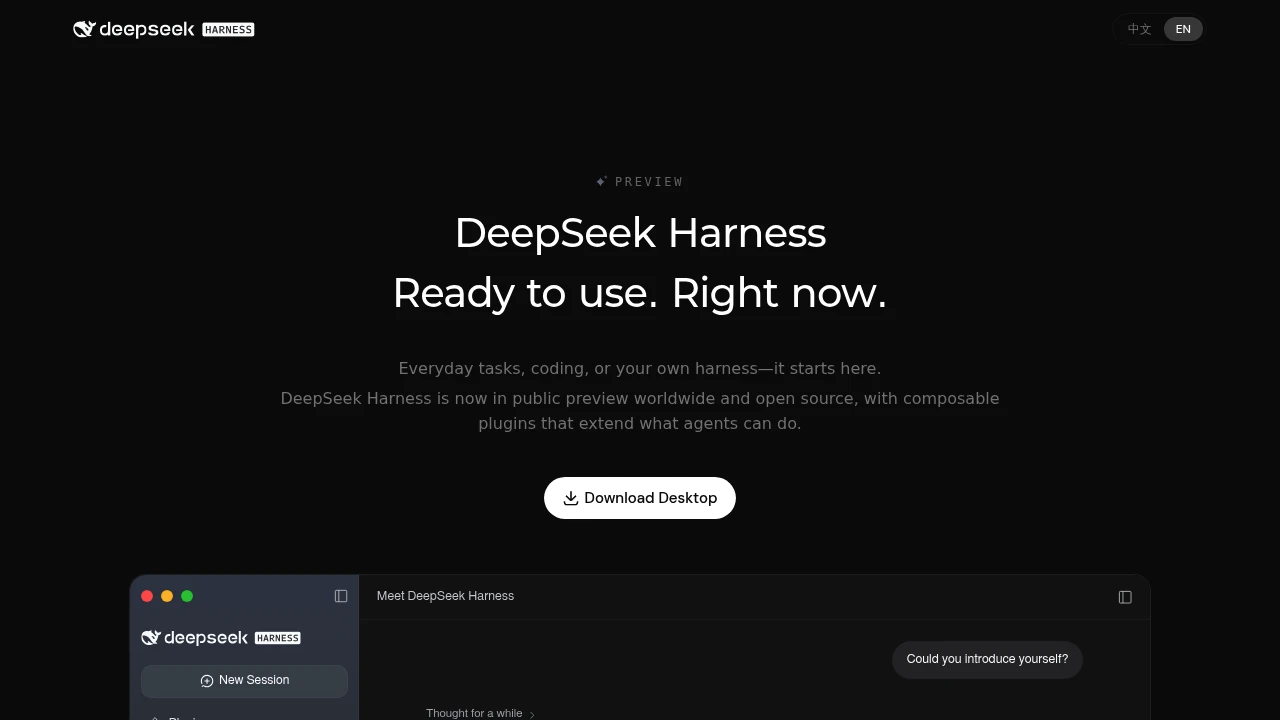
DeepSeek Harness (dsh) is an open-source agent harness from DeepSeek that runs as a desktop app or a local web UI. It hands file work, coding, research and recurring jobs to an agent working in a workspace you choose. Its core idea is that nearly every part of the agent, from tools to the interface, is a plugin you can swap or build.
Key Highlights
- Open source under the MIT license, in public preview
- Desktop app for macOS (Apple silicon) and Windows (64-bit), plus a web UI started with
npx @deepseek-ai/dsh web - Agent that reads and edits workspace files, runs commands, delegates work and keeps a plan
- Plugins you install, or build through chat in Creator mode
- Background jobs with progress tracking, plus scheduled tasks (experimental)
What Makes It Different
Most agent apps ship a fixed product. DeepSeek Harness is built on Cordis, an "everything is a plugin" architecture, so tools, skills and even parts of the interface are plugins. That makes it closer to a kit for assembling your own agent, and plugin authors share their work under the dsh-plugin GitHub topic.
It is not limited to coding. The same app organizes files, analyzes spreadsheets, drafts documents and slides, and previews Word, Excel, HTML, PDF and Markdown files in the conversation.
Features & Capabilities
You start a session in a selected workspace, and the agent works there under a permission policy that asks before sensitive operations. For coding, it explores repositories, fixes bugs, builds features and runs tests. For research, it looks up information and cites what it finds. Background tasks run scripts or batch-process files, and recurring work such as a weekly report can be scheduled.
Developer tools let you inspect each turn's tool calls, payloads, results and timing. You add a DeepSeek API key under Settings, and other providers and custom OpenAI-compatible endpoints are also supported. A Python SDK and extra CLI modes are available. Agent teams, auto approval review, scheduled tasks and voice input are marked experimental.
User Ratings and Testimonials
DeepSeek Harness has no established rating on review sites yet. In our hands-on test in November 2026, signing in with Google failed, but setup with an API key worked. The interface felt close to familiar coding agents, work stayed inside the chosen folder, and model costs were low. DeepSeek calls it a preview with evolving core plugins and APIs and warns of compatibility-breaking changes, so expect rough edges and plan for updates.
Pricing & Value
- DeepSeek Harness: free and open source (MIT), for the desktop app, web UI and source code
- Model usage: billed separately by the model provider you connect, such as the DeepSeek API
The harness itself costs nothing, so your spend depends on the model and how much the agent runs. It suits users who want a customizable, self-run agent and accept preview software.
Product facts
- Pricing
- The harness is open source under the MIT license. Model providers may charge separately for API usage.[1][2]
- Access
- Available worldwide in public preview as a desktop app or local web UI; model providers can be configured separately.[3][4]
- Product status
- DeepSeek Harness is active and available in public preview.[3]
FAQs
An open-source agent harness from DeepSeek. Tools, skills and the interface are plugins, and it runs as a desktop app or a local web UI.
The harness is free and open source under the MIT license. Model calls are billed by the provider whose API key you add.
Official desktop builds cover macOS and Windows only. On Linux, run the web UI with npx @deepseek-ai/dsh web after installing Node.js.
The desktop app targets Apple silicon Macs. On an Intel Mac, use the web UI started with npx @deepseek-ai/dsh web.
Download the macOS or Windows desktop app, or install Node.js and run npx @deepseek-ai/dsh web, which opens the web UI at http://127.0.0.1:3080.
Yes, for hosted models. Add a DeepSeek key in Settings, Models, or a key for another provider; a custom endpoint such as a self-hosted server also works.
No. Built-in providers include Anthropic, OpenAI, Kimi and GLM, and custom endpoints can use OpenAI or Anthropic API protocols.
In Settings, Models, choose Add model provider, switch to Custom model API, then enter a provider ID, base URL, protocol, key and at least one model.
Running from source requires Node.js 24.9.0 or newer, as set in the project's engines field.
There is no official mobile app. The web UI can be published behind a reverse proxy with --public-url so other devices can reach it.
Yes. The agent can delegate work, the official plugins include subagents, and agent teams are available as an experimental plugin.
Its main difference is architecture: nearly every part, including tools, skills and the interface, is a swappable plugin. Results still depend on the model.
Sources (4)
- github.com
- Pricing
- api-docs.deepseek.com
- Pricing
- deepseek.com
- Access
- Product status
- deepseek-harness.github.io
- Access
You might also like

 bisibility — Free beta: Track your website’s keywords, Google rankings, Search Console insights, and share of voice.


